iPad Magnetic Desk Stand: Amazing 18W Upgrades

iPad Magnetic Desk Stand by EMONITA turns your tablet into a clean, always-powered desktop workstation that feels more like a dedicated monitor than a handheld device resting on a table. ✅
With magnetic snap-on docking, integrated 18W charging, and smooth 360° rotation plus 90° tilt, this stand adapts to almost every desk workflow without adding cable clutter. ✨
What Is The EMONITA iPad Magnetic Desk Stand 🧠🖥️
The EMONITA iPad Magnetic Desk Stand is a premium desktop dock that combines:
- A weighted metal base with anti-slip pads 💪
- A folding L-shaped arm with a hidden cable path 🧼
- A model-specific magnetic charging case for your iPad 🧲
Once your device is in the case, you bring it close to the stand. Magnets align and snap it into place, charging begins through USB-C, and you can rotate or tilt for the perfect angle instantly. ✅
Internal links (EMONITA):
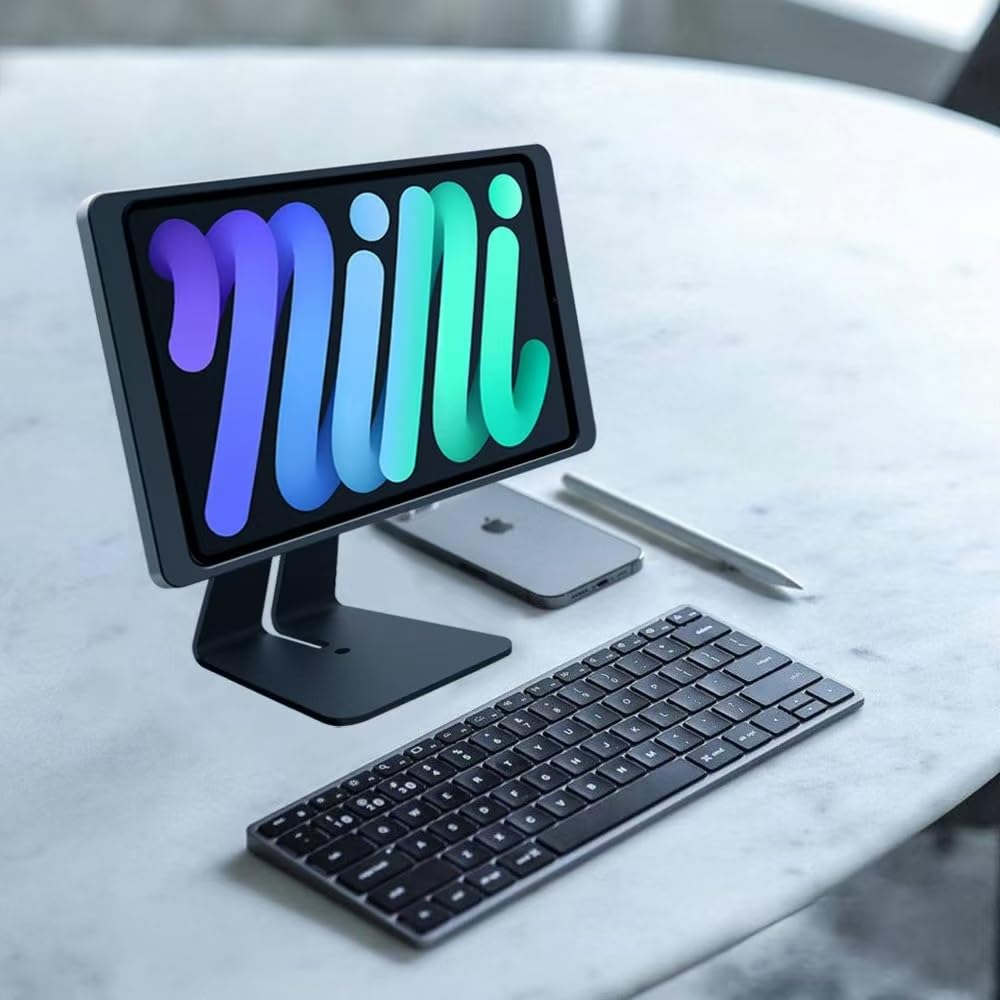
3 Amazing 18W Upgrades This iPad Magnetic Desk Stand Delivers 🔥⚡
The 18W Magnetic iPad Desk Stand delivers three real improvements that change how you use your iPad every day.
Upgrade 1: Effortless Magnetic Docking and Clean Design
The everyday docking experience is the first amazing upgrade from this iPad Magnetic Desk Stand.
- Place your iPad into the EMONITA charging case
- Bring it near the stand arm
- Strong magnets align the device automatically 🧲
- The iPad snaps into place with a secure satisfying click ✅
No fiddling, no guessing, no wiggling for the right spot. When you are done, simply lift the iPad off and go. The weighted base prevents wobble and the L-shaped arm keeps the display centered for a premium desk look. ✨
Upgrade 2: Smart 18W Charging Modes Built Into The Stand
Instead of a cable hanging off your iPad, the iPad Magnetic Desk Stand handles power through a rear USB-C port. Connect to a quality 18W adapter, route the cable behind the stand, and let the case handle charging through integrated contacts. 🔌
Three smart power modes are available:
- Continuous charging: keeps the iPad topped up during long sessions 🔋
- 8+16 smart cycle: charges for 8 hours then rests for 16 to help preserve long-term battery health ♻️
- Charging off: use the stand without sending power when charging is not needed ✅
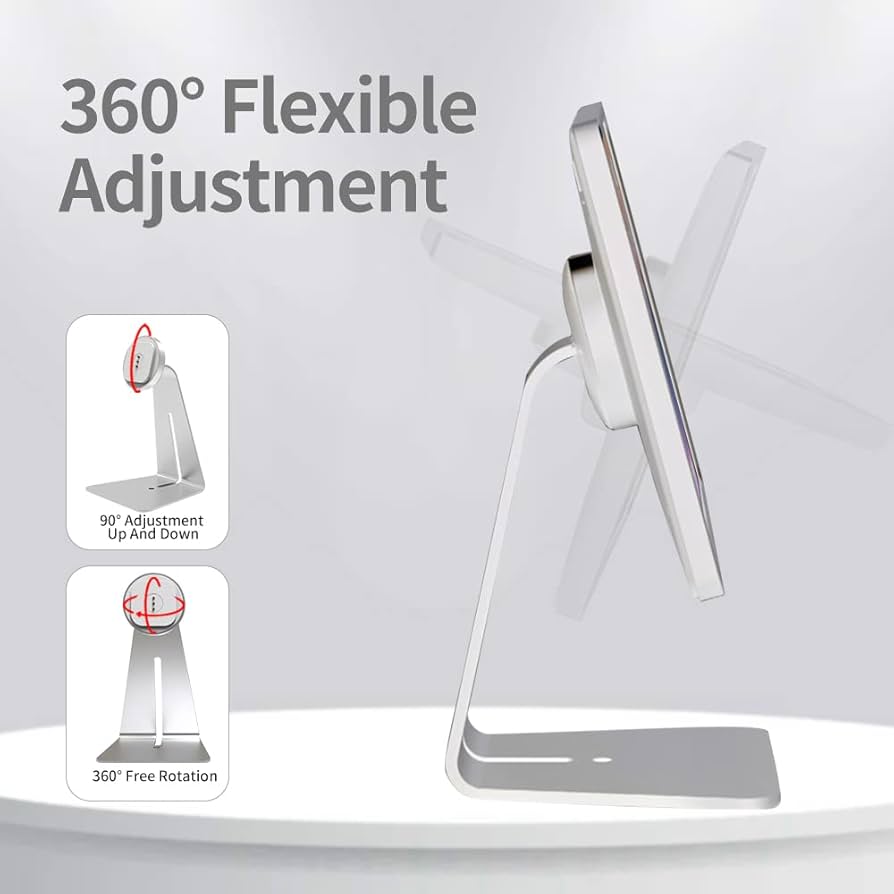
Upgrade 3: 360° Rotation and 90° Tilt For Real Workflows
Different tasks demand different angles. The 360 Rotation iPad Desk Stand adapts quickly:
- 360° rotation lets you switch between portrait and landscape instantly 🔄
- Up to 90° tilt allows you to lower the screen for drawing or raise it for meetings 📐
- Smooth durable hinges hold position without sagging ✅
Compatible iPad Models and Everyday Use Cases ✅🍎
Every kit includes a model-specific charging case for perfect magnetic alignment and reliable 18W charging. Popular supported sizes include:
- iPad mini (6th gen / A17 Pro)
- iPad 10.9 (10th gen / A16)
- iPad 10.2 (7th / 8th / 9th gen)
- iPad Air 10.9 (4th / 5th gen)
- iPad Air 11-in. (M2 / M3)
- iPad Air 13-in. (M2 / M3)
- iPad Pro 11-in. (1st / 2nd / 3rd / 4th gen)
- iPad Pro 11-in. (M4 / M5)
- iPad Pro 12.9-in. (3rd / 4th / 5th / 6th gen)
- iPad Pro 13-in. (M4 / M5)
Not sure which iPad you have? Check here (External DoFollow):
Because it combines magnetic docking, charging, and angle control, this iPad Magnetic Desk Stand fits many real scenarios:
- Home office and remote work: use the iPad as a second screen for calls and notes 💻
- Digital art and design: create a stable adjustable drawing surface 🎨
- Kitchen and living spaces: follow recipes, workouts, or streaming hands-free 🍽️
- Retail and iPad POS Stand setups: clean cabling and quick snap-on/off for counter use 🧾
- Content creation and streaming: lock in a consistent camera angle for recordings 🎥
- Smart home dashboards: keep a permanent control station on a desk or console 🏠
Smart dashboard inspiration (External DoFollow):
Setup, Care and Warranty 🛠️✅
Setup steps:
- Assemble the stand and route the USB-C cable through the rear channel 🔌
- Place your iPad into the model-specific EMONITA charging case 🧲
- Bring the tablet close to the mount and let the magnets align and click ✅
- Choose your power mode: Continuous, 8+16 smart cycle, or Off
- Adjust rotation and tilt for your ideal viewing angle 🔄
Care tips:
- Use a certified 18W+ USB-C power adapter ✅
- Keep loose metal objects away from the magnetic surface during docking 🧲
- Clean with a soft dry cloth and avoid solvents or abrasive pads 🧼
All EMONITA products come with a 12-month limited warranty. ✅
Also consider these related EMONITA options:
- EMONITA Magnetic Stand 45W With Phone Wireless Charging 🔗
- EMONITA Magnetic iPad Handheld Stand 18W 🔗
- EMONITA Modular System 🔗
Follow EMONITA 📣🌐
- Website 🌐
- YouTube ▶️ (@emonita01)
- YouTube ▶️ (@Emonita001)
- TikTok 🎵 (@emonita.net)
- TikTok 🎵 (@emonita_1)
- Facebook 📘 (Profile)
- Facebook 📘 (Page)
- Facebook Business 📊
- Instagram 📸 (@emonita02)
- X (Twitter) 𝕏 (@emonita00)
Contact EMONITA 📩📞
- Tel/WhatsApp: +1 2244916232
- WhatsApp / WeChat: +86 18959199691
- Email: sales@emonita.net ✉️
Product Preview: