PoE iPad Wall Mount Proven Ways of Hidden Cables

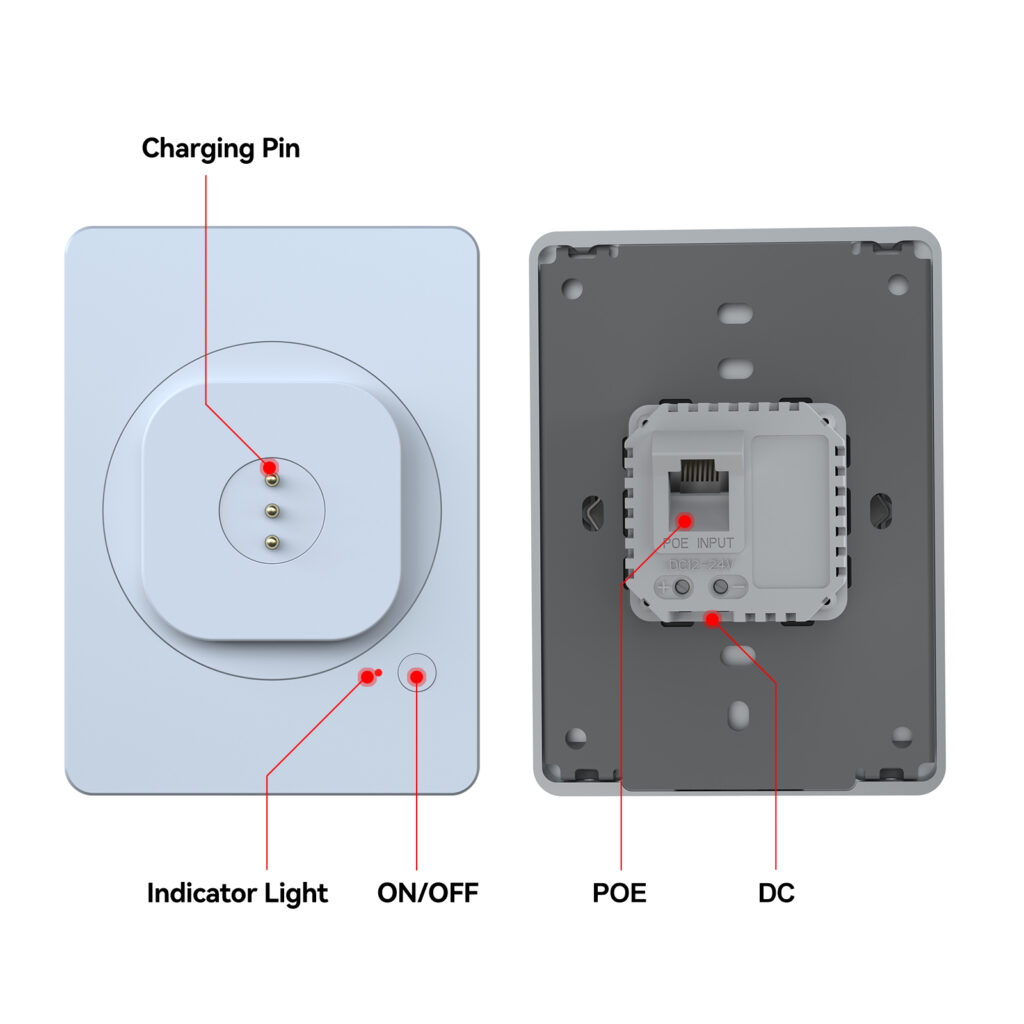
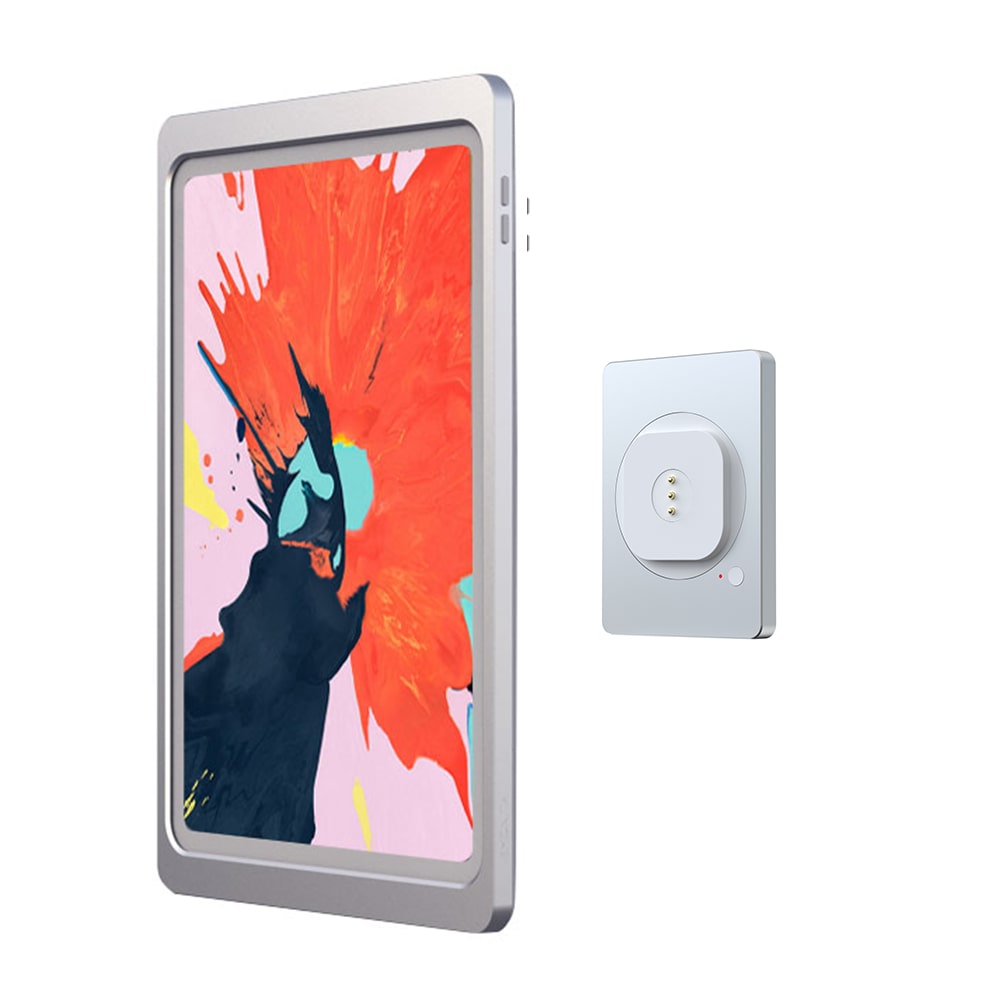
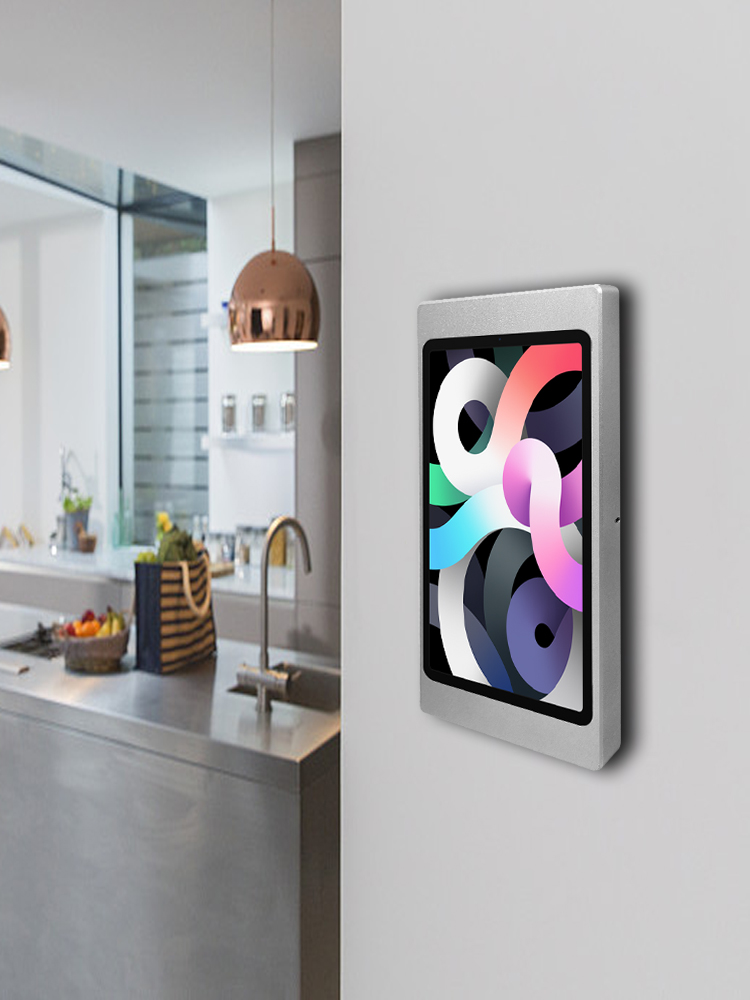
A PoE iPad wall mount is one of the cleanest ways to power an always‑on iPad display without visible adapters or messy charging leads. In offices, hotels, restaurants, and retail stores, the iPad is often used for room scheduling, menus, check‑in, and dashboards—but the “look” of the install matters just as much as the software. Hidden cables are what separates a professional wall display from a temporary tablet setup.
This post explains proven, practical ways to hide cables using a PoE iPad wall mount approach—plus when AC or DC options make more sense depending on your building and project.
What a PoE iPad Wall Mount Really Solves
A PoE iPad wall mount isn’t only about mounting. It mainly solves three problems:
- Power without a visible wall adapter
PoE (Power over Ethernet) can deliver power through network infrastructure instead of a separate plug-in adapter at the display. - Cleaner walls and counters
When the power path is planned correctly, the iPad looks “built‑in,” not like a device temporarily stuck on the wall. - More consistent rollouts
In businesses with multiple rooms or locations, a PoE iPad wall mount helps standardize installs across hallways, meeting rooms, and public spaces.
If you want a simple reference on PoE technology, this overview is helpful (external):
https://ethernetalliance.org/technology/power-over-ethernet/
Proven Ways to Hide Cables with a PoE iPad Wall Mount
Use in-wall cable routing as the default
The most reliable approach is in-wall cable routing. That means the cable path is planned so nothing hangs down from the screen:
- Route PoE/Ethernet (or low-voltage power) inside the wall cavity.
- Terminate at a wall box location (or behind a mounting plate).
- Keep connections protected and out of sight.
This is the core idea behind hidden cables: nothing should be visible from normal viewing angles.
Keep the “power conversion” away from the screen
Many installations look messy because the power conversion sits right next to the tablet. With a PoE iPad wall mount plan, keep bulky components away from the visible area:
- Use a PoE switch/injector at a network location when possible.
- Avoid dangling adapters near the display.
- Keep junction points inside a wall box or behind a mounting plate.
Choose a mount style that supports a clean front view
Hidden cables are not only about wiring; the mount must be designed to cover and organize the cabling path.
A good PoE iPad wall mount solution usually has one or more of these characteristics:
- a slim plate or frame that hides connection points
- junction-box compatibility for clean finishing
- consistent alignment so the iPad sits flush and does not wobble during touch use
Standardize your cable path for every room
In office and hospitality environments, consistency is what keeps maintenance easy:
- Always bring the PoE line in from the same side (top or bottom).
- Label cables at the network end.
- Keep spare slack controlled, not stuffed behind the tablet.
This “repeatable” method is one of the most proven ways to keep hidden cables hidden over the long term.
PoE iPad Mount vs AC vs DC: Which Power Path Hides Cables Best?
A PoE iPad wall mount is excellent in many scenarios—but it’s not the only clean option. Here’s how to decide:
When PoE is best
Choose PoE if:
- You already have structured Ethernet wiring in the building.
- You want centralized power management.
- You’re installing many iPads (meeting rooms, corridors, check‑in points).
When AC is best
Choose AC if:
- You already have a standard wall box and AC wiring available at the location.
- You’re building a clean, always‑charging wall display at home or a single room.
- You don’t want PoE network gear for one screen.
When DC is best
Choose DC if:
- The iPad display is on a counter/desk (kiosk, POS, reception).
- You prefer low-voltage power supplies for desk installations.
- You want tidy cable routing behind a stand rather than in a wall.
The key point: the cleanest install is the one that matches your building’s “real” power infrastructure.
Junction Box iPad Mount Planning
Even with PoE, many clean installs still rely on a wall box location because it gives you a neat finishing point. When planning a junction box iPad mount:
- Pick the location first (eye-level, reachable, safe from bumps).
- Confirm the wall structure (studs, hollow wall, concrete).
- Plan cable entry and exit so there’s no visible loop or slack.
- Make sure the mount plate/frame fully covers the box opening.
This is where “hidden cables” becomes predictable: you’re building around a proper wall termination point rather than improvising.
Compatibility Check: Confirm Your iPad Model First
Cable hiding only works if the device fits correctly. Incorrect fit causes gaps, misalignment, and messy fixes.
Before choosing a mount/case/size, confirm your iPad model (external):
https://support.apple.com/en-us/HT201471
This reduces returns and ensures:
- correct alignment
- stable seating
- clean edges around the iPad
Recommended EMONITA Options
If you want to build a clean wall display with hidden cables, these EMONITA links are a good starting point (internal):
- EMONITA PoE/DC magnetic wall mount (18W, 360°):
https://www.emonita.net/product/magnetic-ipad-wall-mount-poe-dc-18w/ - Wall mount with charger (ClipDock style, junction-box install):
https://www.emonita.net/product/ipad-wall-mount-with-charger/ - Fixed iPad wall mount frame with built-in fast charging:
https://www.emonita.net/product/fixed-ipad-wall-mount-fast-charging/ - Browse all EMONITA products:
https://www.emonita.net/products/
These options allow you to choose the mount style and power method that best matches your hidden-cable goal.
EMONITA PoE wall mount charger options
If your goal is a clean PoE iPad wall installation, choose an EMONITA PoE wall mount charger that matches your wiring plan and iPad model so the display stays powered with hidden cables and a tidy finish. For PoE/DC magnetic mounting with fast charging support, you can start here:
https://www.emonita.net/product/magnetic-ipad-wall-mount-poe-dc-18w/
Quick Installation Checklist
Use this checklist to keep your PoE iPad wall mount installation clean:
- Confirm the iPad model and mount size before ordering.
- Decide PoE vs AC vs DC based on the site’s infrastructure.
- Plan in-wall cable routing and termination point.
- Keep adapters/converters away from the visible area.
- Test charging/power before final fastening.
- Check stability under tapping/swiping.
- Leave small space for airflow and speaker output.
Watch & Follow EMONITA
Website: https://www.emonita.net
YouTube channel 1: https://www.youtube.com/@emonita01
YouTube channel 2: https://www.youtube.com/@LuckyWang-n2s
TikTok 1: https://www.tiktok.com/@emonita.net
TikTok 2: https://www.tiktok.com/@emonita_1
Facebook: https://www.facebook.com/emonita.net/
Facebook page: https://www.facebook.com/emonitaofficial/
Facebook Business: https://business.facebook.com/latest/home?business_id=906862885841440&asset_id=893724547155274
Instagram: https://www.instagram.com/emonita02/
X (Twitter): https://x.com/emonita00
WhatsApp / WeChat: +8618959199691